Team admin guide
Team branding
Set a shared accent colour and logo, and lock the brand so every card matches.
Team branding lets you present a consistent identity across every member's card. From
the /team page, a team administrator sets one accent colour and one company logo for the
whole team.
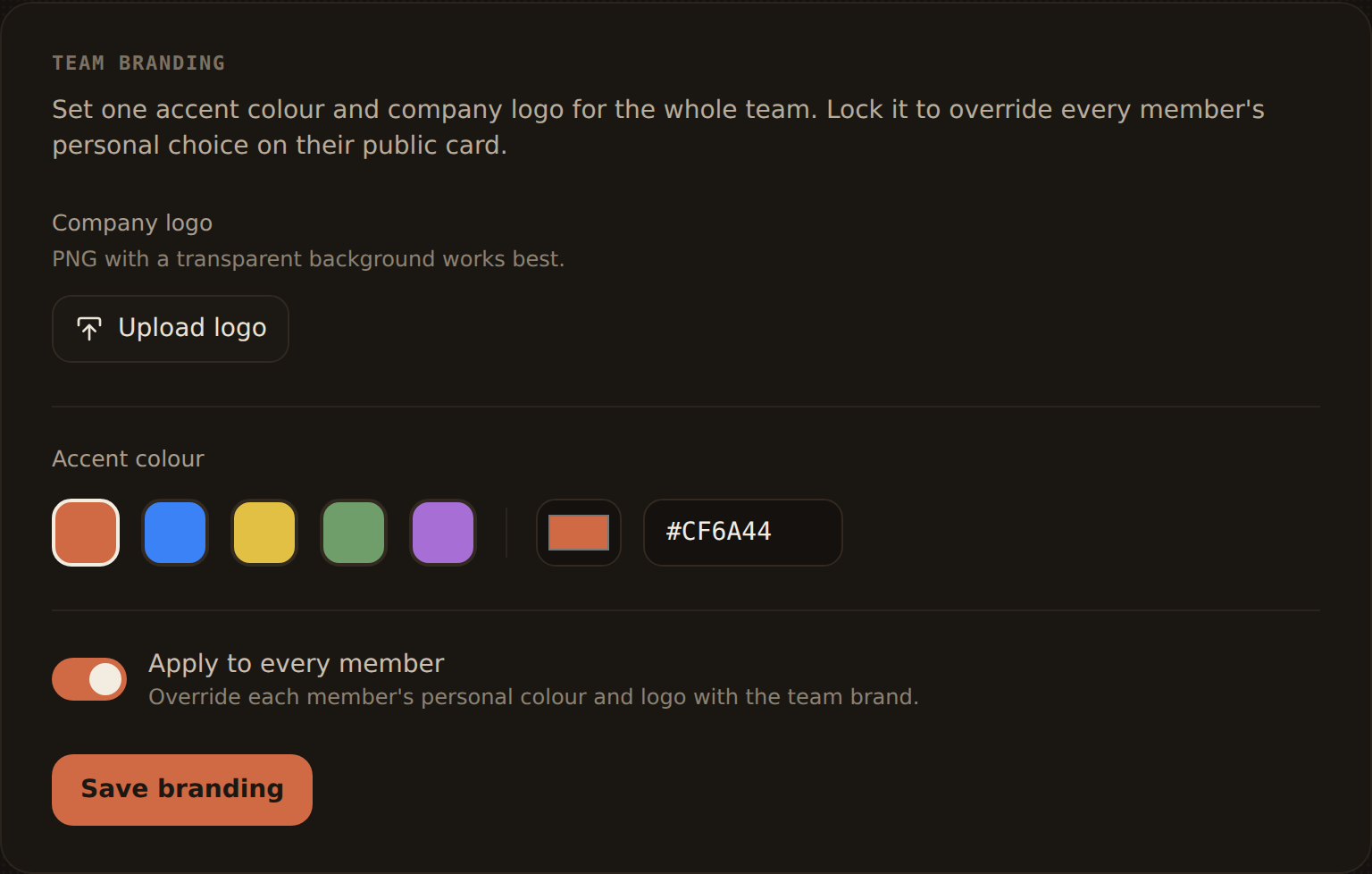
Set your brand
In the Team branding section you can configure:
- Accent colour — the single colour used for highlights and buttons across team cards.
- Company logo — the logo shown on team members' cards.
Choose your values and use Save branding to apply them. The team logo is stored
alongside members' personal logos.
Locking the brand
Branding can be locked. When the brand is locked, the team's colour and logo override
every member's personal choice wherever a card is rendered:
- the public card at
kard.be/{member} - Apple and Google Wallet passes
- the member's own editor preview
This guarantees a uniform look — individual members can still edit their details, but the
brand stays yours. On the Apple Wallet pass the member's photo sits beneath the Kard mark,
so the locked brand comes through in the accent colour rather than replacing the photo with
the company logo. Members see a note in their editor explaining that the team applies a
shared colour and logo.
Leave the brand unlocked to use the team colour and logo only as a default, while
letting members personalise their own cards.
How resolution works
Under the hood, a card's effective colour and logo defer to the team when the team enforces
its brand, and fall back to the member's personal choice otherwise. You don't need to do
anything per member — set the brand once and it propagates everywhere.