Partner guide
Creating teams
Provision a new client team from the partner portal and get it ready for setup.
Provisioning a client starts by creating their team. The partner portal makes this a
quick, repeatable step so you can onboard clients in minutes.
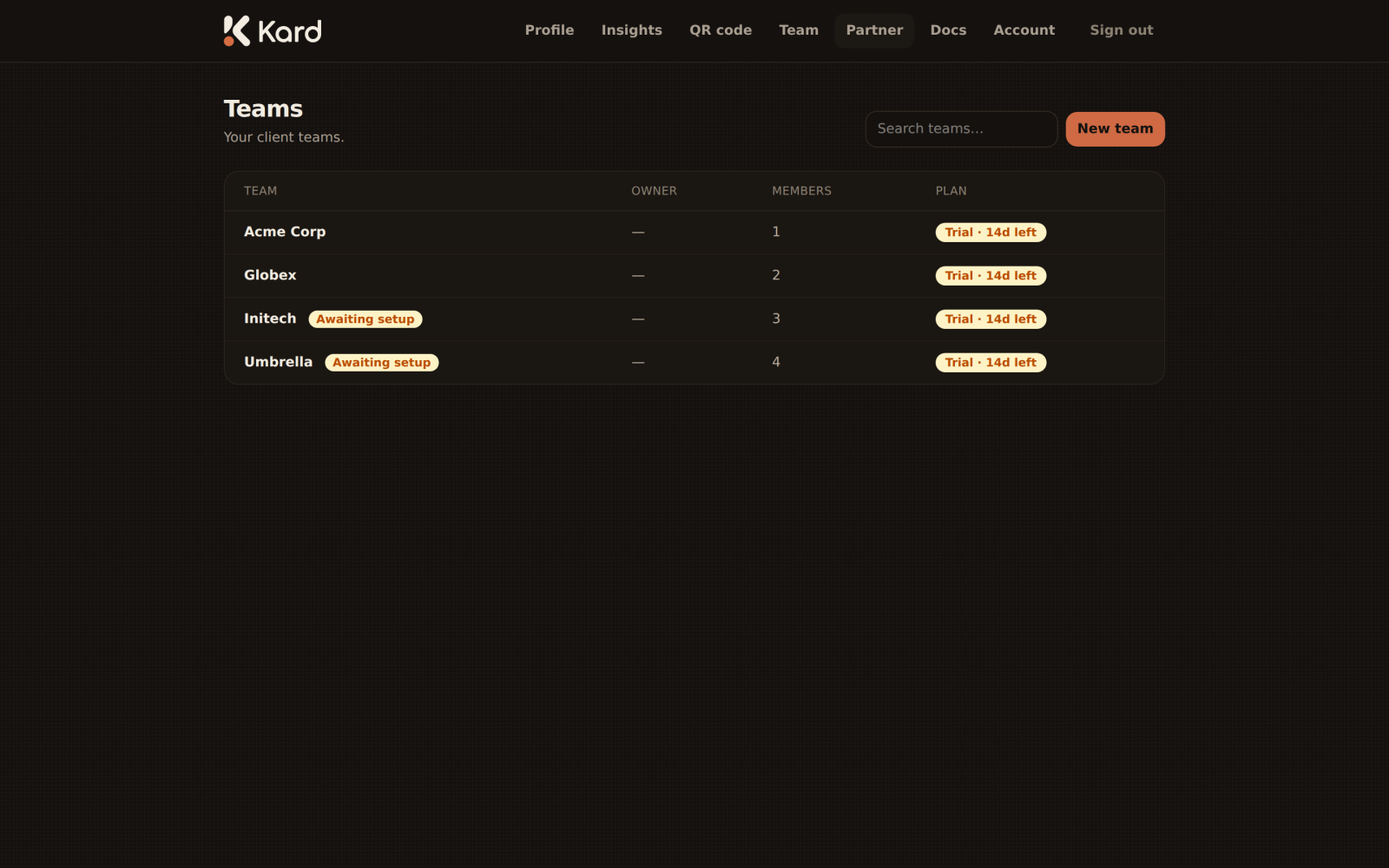
Create a team
From the partner portal, choose New team (available on both the dashboard and the
Teams page). Give the team its details and create it. The new team appears in your list,
typically marked awaiting setup until an owner is in place and branding is configured.
The team lifecycle
A freshly created team moves through a simple lifecycle:
- Created — the team exists and is awaiting setup.
- Owner invited — you invite the client's owner to take charge of the team (see
Inviting owners & members). - Trial started — start a trial so the team's cards are live for evaluation (see
Trials & management). - Active — the client is up and running.
Opening a team
Select any team from your list to open its detail page, where you'll find its members and
the actions to invite people and manage its trial.
Keep an eye on the awaiting setup count on your dashboard — it's your to-do list of
teams that still need an owner or a trial started.